


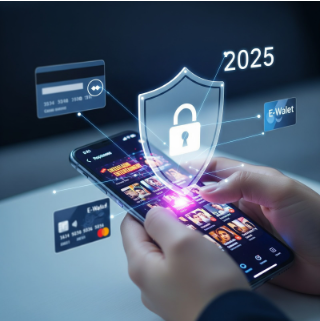
Most people think app security is about antivirus. In reality, the big losses come from how you log in, where you pay, and what permissions you grant. This is a straight, human guide to keeping your e-wallets and cards safe while using entertainment apps—no scare tactics, just steps that work.
The 60-Second Summary
- Never pay inside a webview you didn’t open yourself. Open the payment page in your browser, check the domain, then proceed.
- Lock sensitive data behind biometrics + PIN. One method is not enough.
- Split your money. Use a low-limit card/e-wallet for entertainment only.
- Kill TAC/SMS interception. Deny SMS permissions to non-messaging apps.
- Run a weekly 10-minute audit. Statements, permissions, devices, and passwords.
Threat Map: How Money Actually Leaks
| Attack Pattern | What It Looks Like | Why It Works | Your Counter |
| Fake payment gateway | In-app pop-up “Pay Now” with a lookalike URL | Webviews hide the real domain | Open payment in your browser; verify full domain before paying |
| TAC/SMS grab | App asks for SMS permission “to auto-fill” | Reads OTP silently | Deny SMS permission to any app that isn’t your default messenger |
| Account cookie hijack | You’re still “logged in” on a lost device | Sessions live longer than you expect | Biometric lock + remote sign-out + device inventory |
| Phishing via update prompt | “Update available—install from this link” | You trust the app’s UI | Update via the store listing you open yourself |
| Overlay phishing | Fake form over real app | Looks identical, steals entries | Deny “Draw over other apps” to non-essential apps |
Golden Rules for Safe Payments (Copy/Paste)
- No blind webviews
If a payment page opens inside the app, tap the share/open icon and launch it in your default browser. Confirm the full domain before you type anything. - 2FA ≠ SMS only
Prefer app-based or hardware 2FA where supported. If SMS is the only option, do not grant SMS read permissions to random apps. - One wallet, one purpose
Use a low-limit e-wallet or virtual card for entertainment. Keep your main card for bills and essentials only. - Biometrics + PIN
Enable both. Face/Touch ID for speed; strong PIN for when biometrics fail. - Zero stored cards (where possible)
If the app forces saved cards, set spending caps and instant notifications so you see every transaction.
Set It Up Right: 10-Minute Hardening Checklist
On your phone
- Screen lock: Biometric + 6-digit (or longer) PIN
- Auto-lock: ≤ 30 seconds
- Find My Device: ON (so you can remote-wipe)
- App Store/Play updates: Auto ON for security patches
Permissions
- SMS: DENY for all non-messaging apps
- Contacts: DENY (payments don’t need your address book)
- Location: While using (never “Always” unless essential)
- Overlay (“Draw over other apps”): DENY except trusted tools (e.g., call bubbles)
Payments
- Dedicated low-limit wallet/virtual card for entertainment
- Instant transaction notifications enabled
- Monthly hard cap on that wallet/card
How to Verify a Payment Page in 15 Seconds
- Tap the open in browser icon (or copy link, paste into your browser).
- Look at the full domain, not just the logo.
- If the address is shortened (bit.ly, etc.), don’t proceed.
- Padlock alone is not proof—focus on the domain spelling.
- If you’re unsure, back out and reopen the payment via the official store page or the brand’s known website you typed yourself.
Permissions That Quietly Drain Money
- SMS → Enables silent OTP read. Keep it off.
- Notifications content on lock screen → Hints at OTP codes; set to “Hide sensitive content.”
- Overlay/Accessibility → Can simulate taps or capture forms; keep these off unless you absolutely trust the app.
A Safer Way to Update Apps
- Open Google Play/App Store yourself. Search the app. Update there.
- Ignore in-app “update” banners that push you to download from a link.
- If an app suddenly asks for new sensitive permissions after an update, deny first, test features, then allow only if truly required.
Need a plain, reusable checklist for safe installs, permission discipline, and clean reinstalls? Use this installation & safety best practices guide: https://my.bossku.club/
If You Think You Paid on a Fake Page
- Airplane mode (stop any ongoing session theft).
- Screenshot the page/receipt.
- Contact your bank/e-wallet support immediately; request a block and new credentials.
- Change your email password tied to the account (attackers pivot).
- Remote-logout all devices from the app’s security settings (if available).
- Monitor statements for 48–72 hours; dispute anything unfamiliar.
Weekly 10-Minute Money Safety Routine
- Review wallet and card statements (filter by merchant).
- Check new app installs and revoke risky permissions.
- Verify devices logged in to your payment accounts; sign out old phones.
- Rotate a strong password on your primary email every quarter.
- Back up your phone (so you can factory-reset quickly if needed).
Common Questions, Honest Answers
Do I need antivirus on mobile?
It helps, especially on Android—but it’s a seatbelt, not an airbag. The real wins are domain checks, permission discipline, and a split-wallet strategy.
Is it safe to save my card in apps?
Safer to not. If you must, set low limits + instant alerts and use biometric confirmation.
Are QR payments safer?
They can be—but verify the merchant name before confirming. QR just replaces typing; it doesn’t fix a fake destination.
Why not just rely on SMS TAC?
Because too many apps request SMS permission. If malware reads your TAC, it’s game over. Prefer app-based approvals where possible.
Bottom Line
Security isn’t a single app setting—it’s a habit stack. Open payment pages in your browser, verify the domain, split your money, deny risky permissions, and keep a short weekly routine. You’ll stop 99% of the problems that drain e-wallets and cards—and you’ll still enjoy the apps you like without stress.









Leave a comment